
Case study | Elementor
Site Management
I led product design for Site Management, a maintenance layer built into Elementor so agencies can update, monitor, and report on every site they run without leaving the product they already live in.
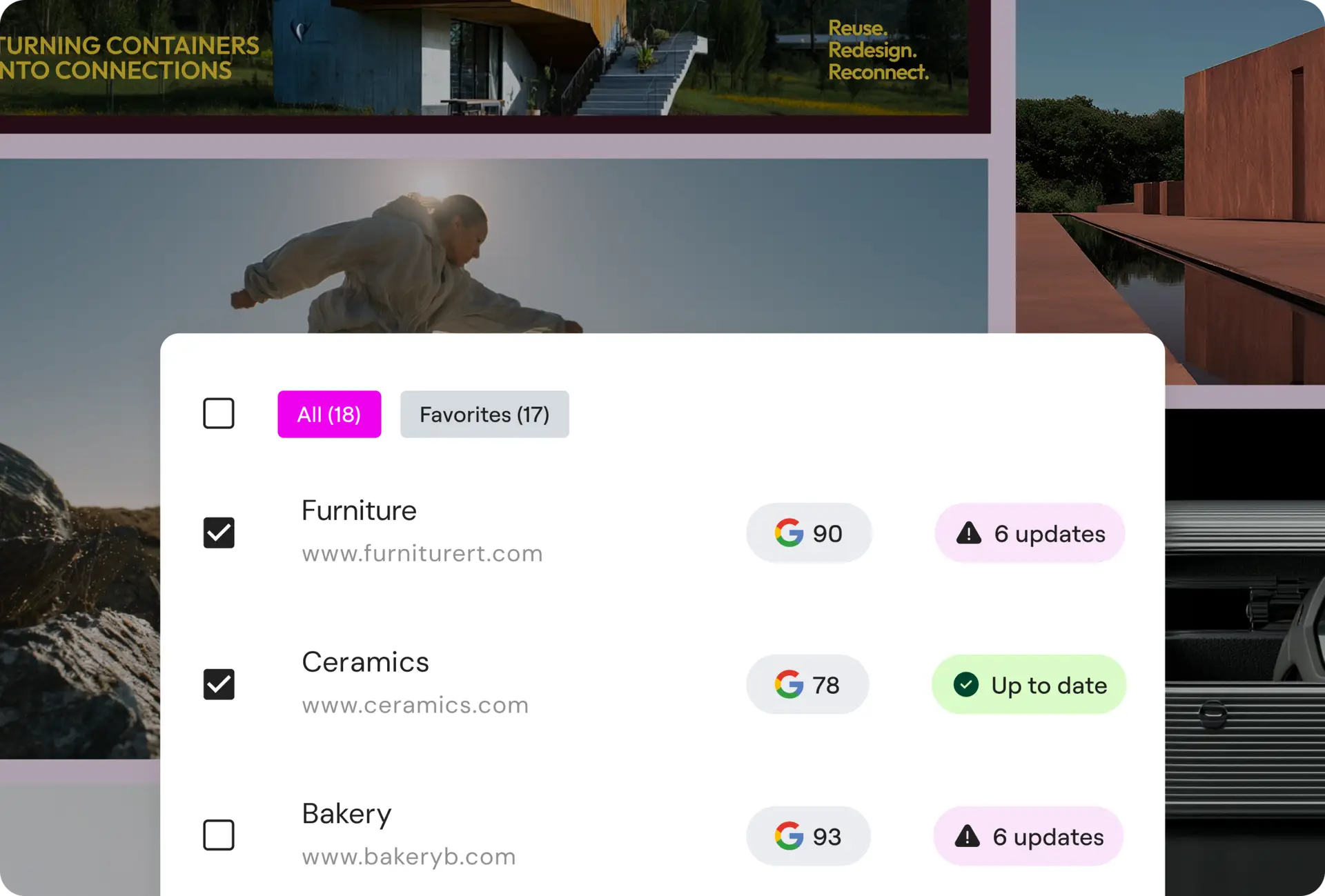
Checking on a site shouldn't take five logins
Most agencies I talked to were running client sites the same way. Log into WP-Admin, update one plugin at a time, hope nothing breaks, then do it again on the next site. There was no single place to see which sites needed attention, and no easy way to show a client that the retainer they’re paying for is actually doing something.
Manage is our answer to that. It’s a management layer built into Elementor itself, so agencies can update, monitor, and report on every site without leaving the product they already use.
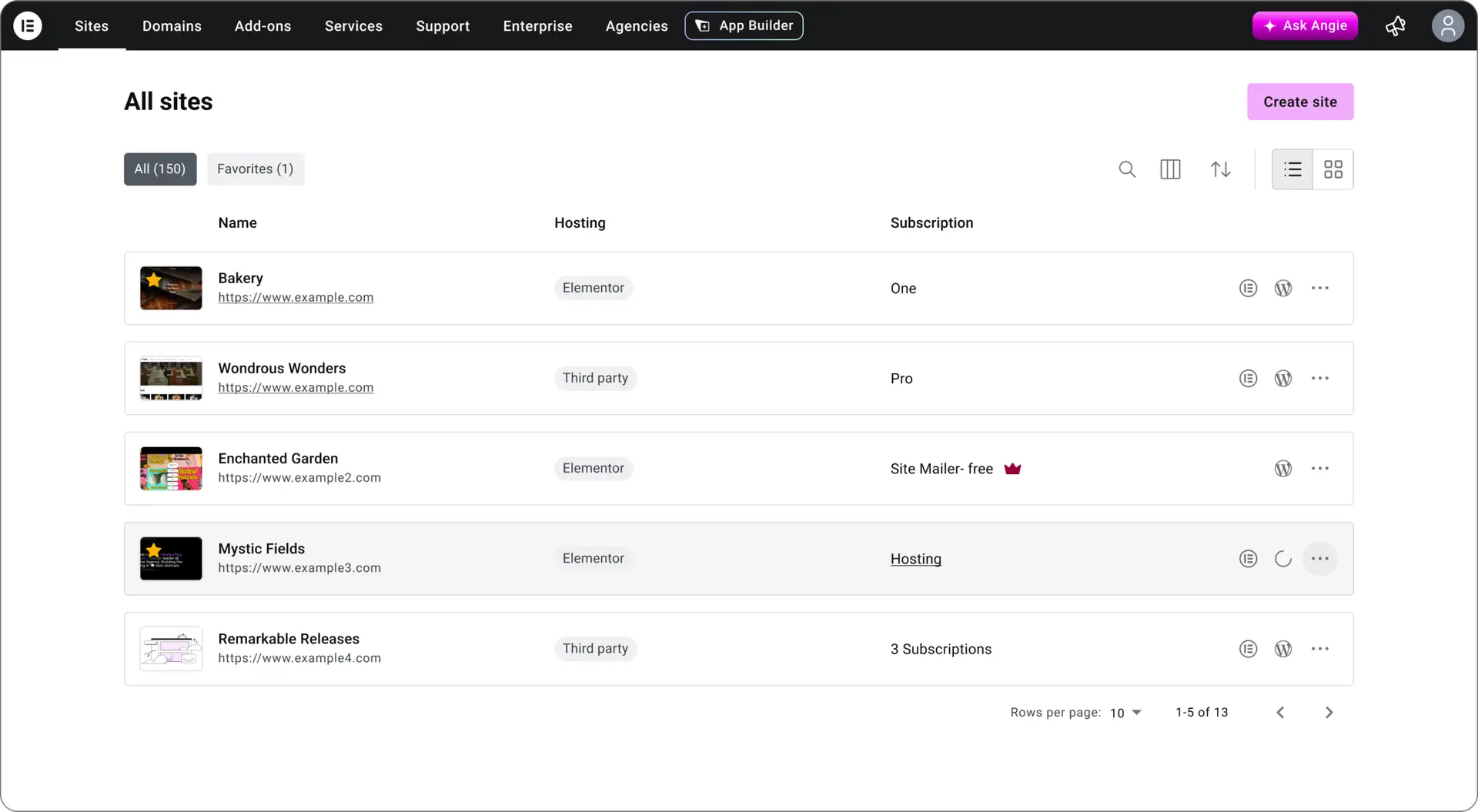
What agencies actually told us
I ran interviews with agencies and freelancers managing anywhere from a handful of sites to a few hundred. Three problems came up again and again.y
“We’ve talked about auditing all our sites once a quarter, but there’s no easy way to actually do that.”
“I go through the WP Engine dashboard almost every time, it’s just easier. I don’t even need a password manager.”
“I can connect and update manually, or use a bulk update tool. Everything works fine, except Elementor.”
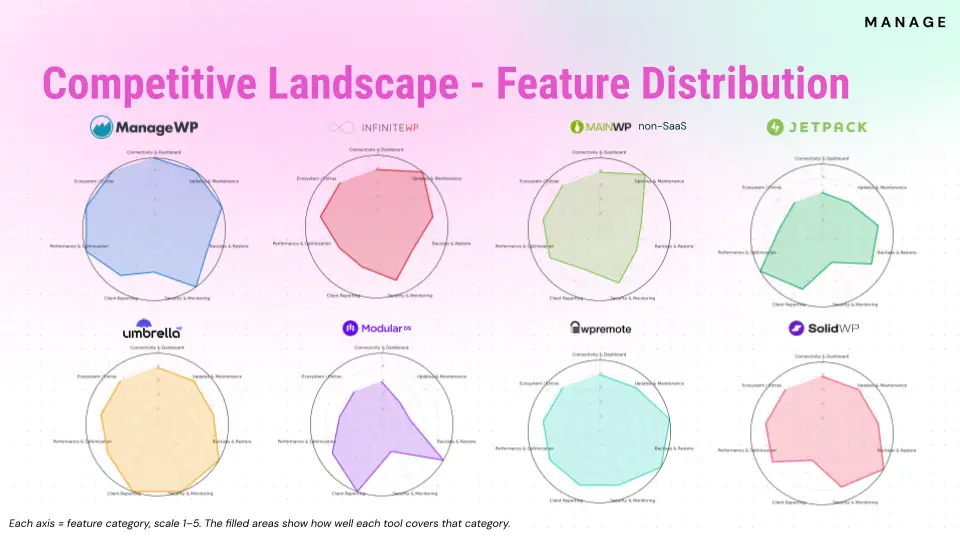
Where we stood against nine competitors
We benchmarked nine tools on install base, pricing, and feature coverage.
What we decided to build
Each of these traces back to something specific from research or the competitive audit.
Own the maintenance layer
Safe updates, uptime monitoring, and performance transparency, built in, not bolted on.
WHY? · This was our biggest gap against competitors, and what agencies said they wanted most.
Integrate across Elementor
Manage should feel like part of the Sites view and Single Site View, not a separate tool bolted on the side.
WHY? · Agencies weren’t choosing WP Engine’s dashboard for its features, they were choosing it because it was already open.
Prove value to clients of clients
Give agencies client-ready reports they can use to justify their retainers.
WHY? · Reporting was one of our clearest gaps, and the one agencies could put a dollar figure on.
Scale for agencies
Design for multi-site from day one, not a single-site tool with bulk actions added later.
WHY? · The agencies we talked to ranged from a handful of sites to a few hundred, the tool had to hold up at both ends.
Building the maintenance layer
What shipped in the MVP.
WordPress plugin for connect, sync and troubleshooting
Redesigned Websites Tab, with overview, columns, ordering and bulk selection
Redesigned navigation, so Elementor’s products each have their own identity
Bulk update monitoring for plugins, themes and WordPress core
Safe updates with automatic rollback if something breaks
Single Site View, with header, navigation and management surfaces
One-click login for any connected site
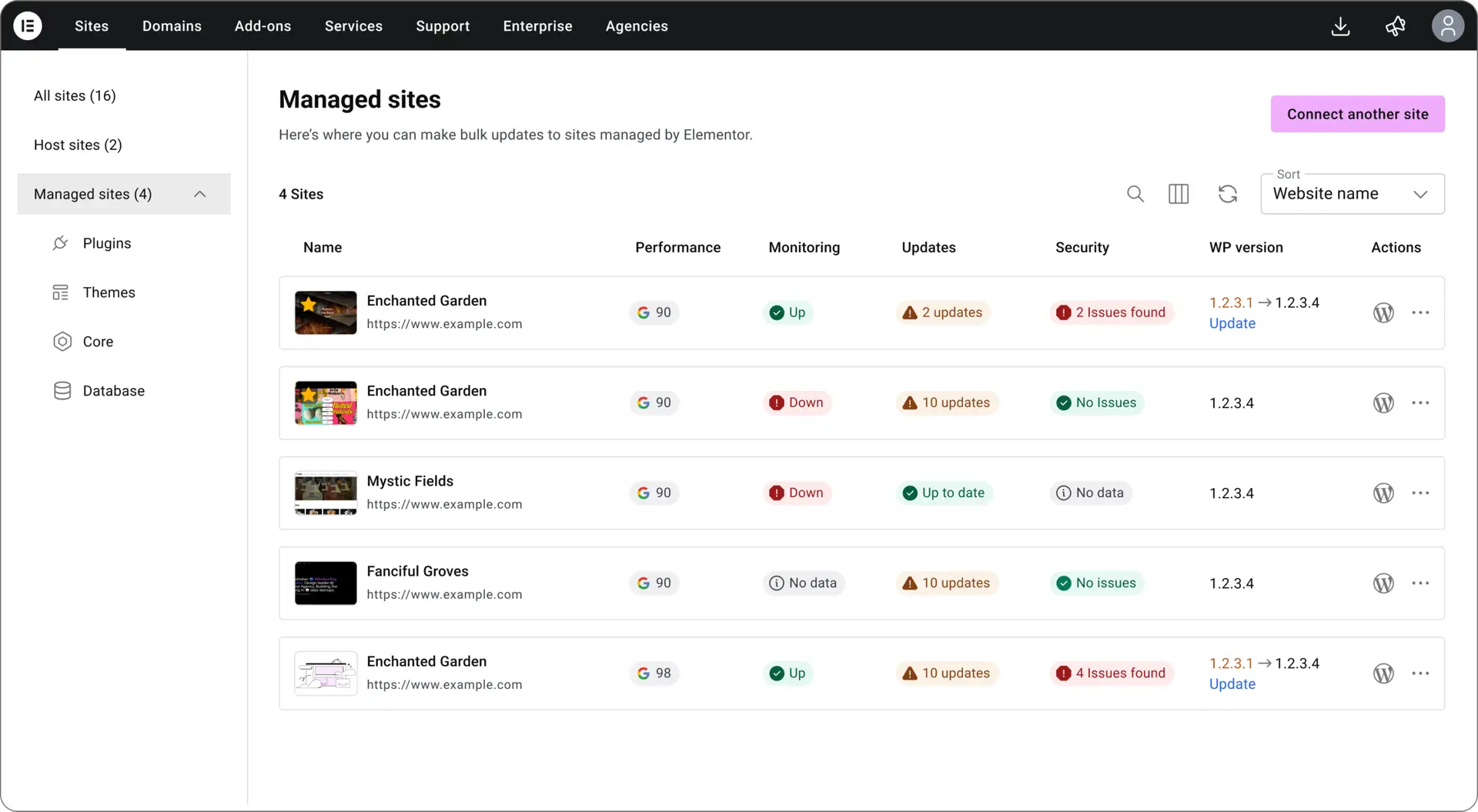
Managed sites View
The bulk view. Every connected site in one table, with performance, monitoring, update, and security status side by side, plus a sidebar to jump into plugins, themes, core, or database actions across all of them at once. This is the stop logging into five dashboards screen.
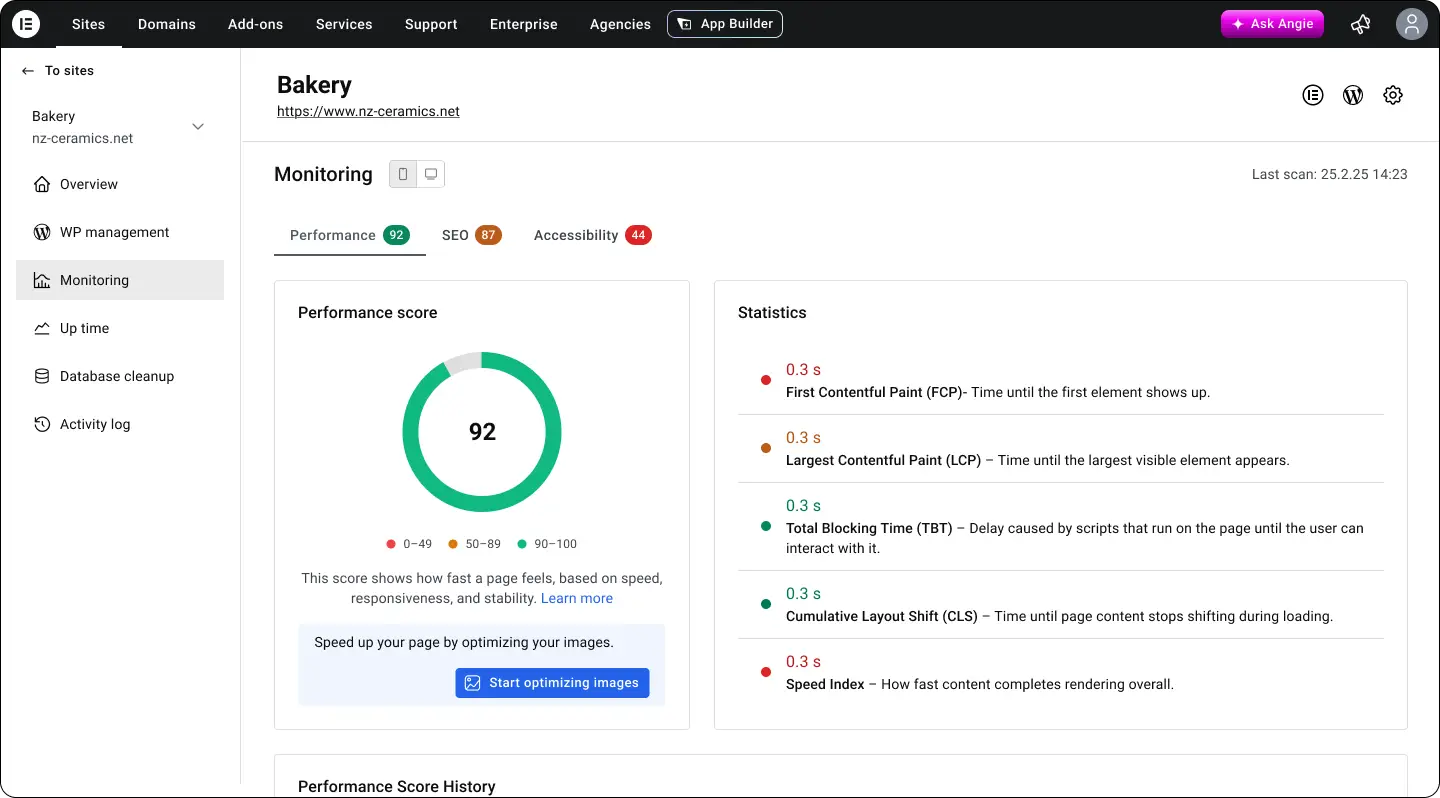
Monitoring, performance detail
Drilling into one site’s performance. Score, core web vitals broken into plain language, and a direct suggestion for what to fix first. The goal was turning a raw PageSpeed number into something a non-technical agency owner could actually act on.
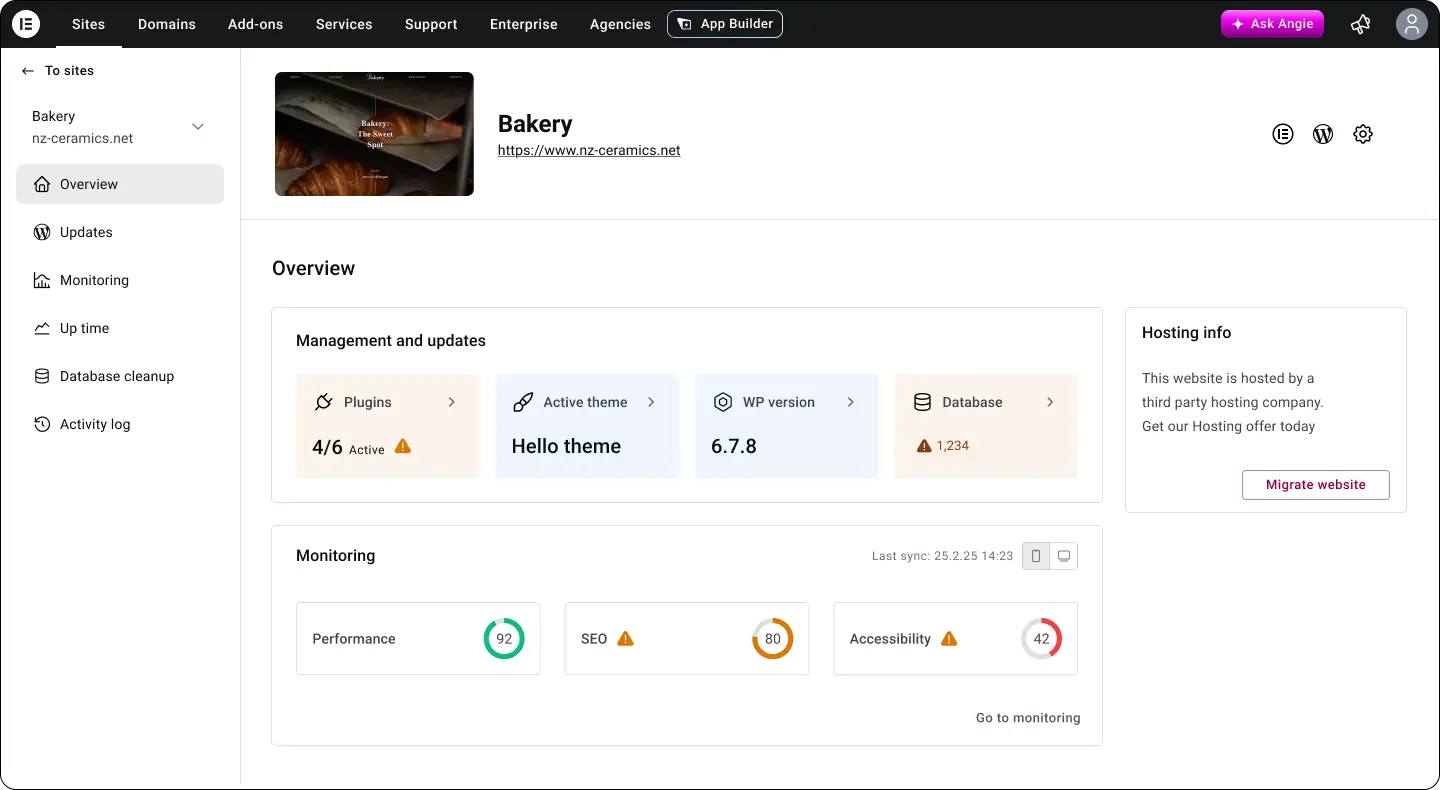
Overview
The single site view for a connected site. Plugins, theme, WP version and database status at a glance, plus a live performance, SEO and accessibility score. Built so an agency can tell if a site needs attention without clicking into anything.
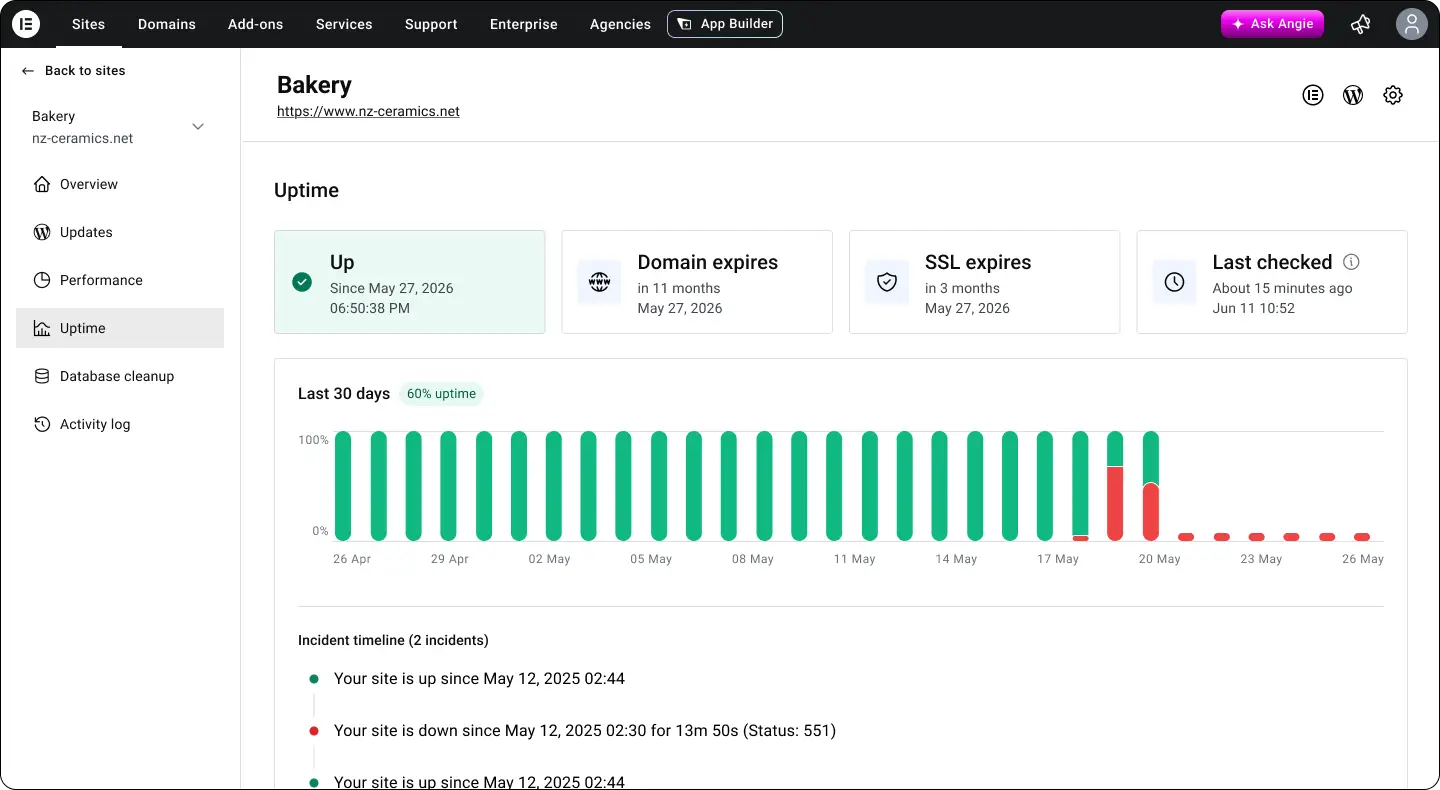
Uptime
Up or down status, domain and SSL expiry, and a 30-day history with a log of incidents underneath. Small screen, but it answers the question agencies asked most in interviews: is anything broken right now.